Projects

Nuke Python PySide2/6 Pipeline tools Documentation

Nuke Heavy Node Optimizer (Shipped)

Bulk disable, enable, or toggle "heavy" nodes (by node class) across the current Nuke script - safely (only touches each node's disable knob).
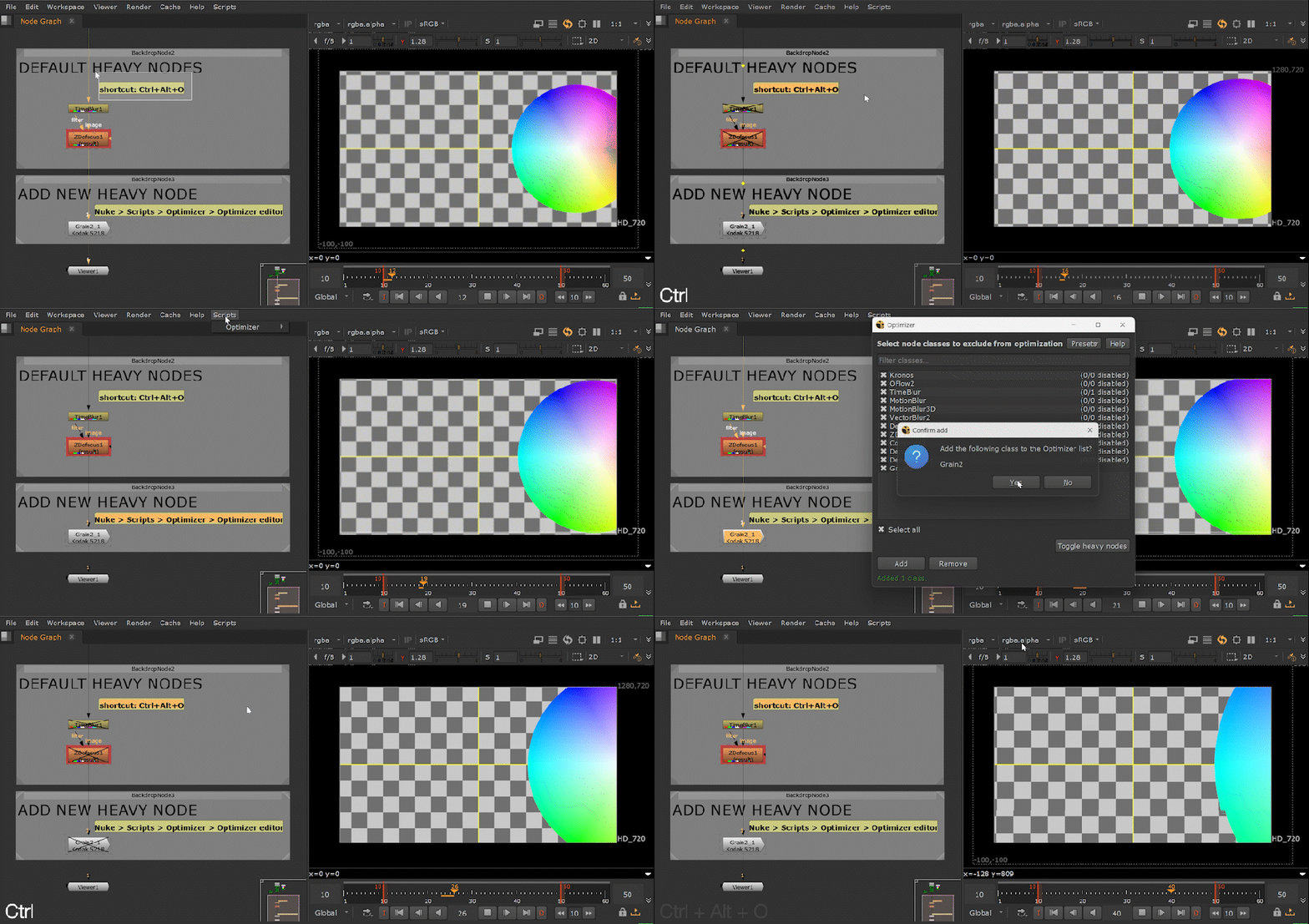
Gif of the Nuke Heavy Node Optimizer UI
Tool #1 — shipped: single-action heavy-node toggling + presets.

Compatibility: The Foundry Nuke 13+; tested on Windows. macOS and Linux not yet tested.

Problem Preview iterations slow down when you must manually find and toggle “heavy” nodes across the script.
Solution One action toggles a configurable list of heavy node classes — safe by design (only touches disable).
Outcome Faster preview cycles, fewer mistakes, and consistent behavior across shots/scripts.
Nuke Python PySide2/6 Status: Shipped
  • Turns N manual toggles into 1 action (per preview cycle).
  • Configurable “heavy” class list + presets (JSON-backed).
  • Cross-version UI compatibility via Qt shim (PySide2 + PySide6).
Nuke Toolsets (In progress)

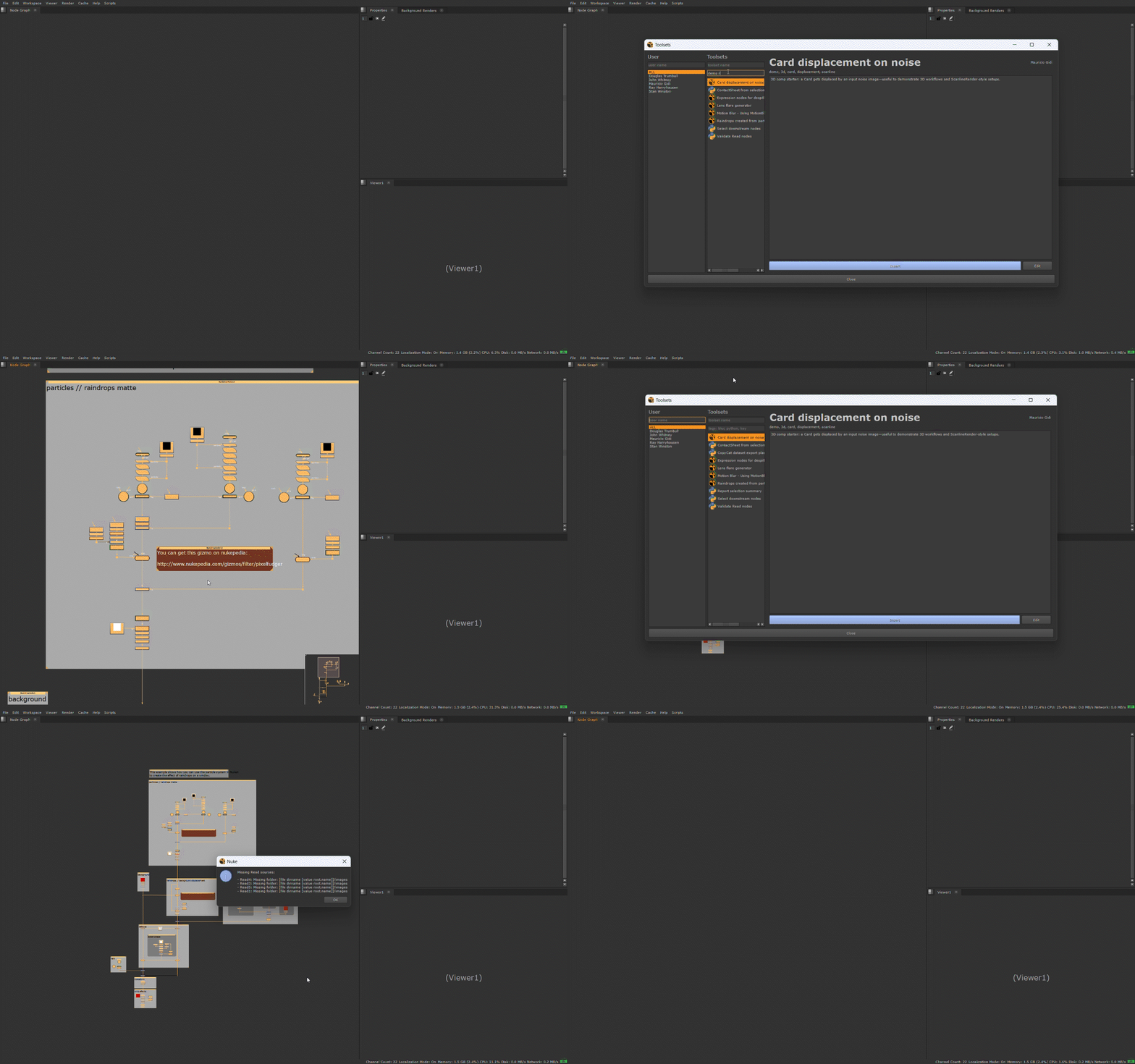
Browse toolsets stored on disk in a Qt user interface: insert .nk toolsets or run .py toolsets via a standard execute() entry point. It supports shared and personal libraries and aims to be safe in a studio environment (clear warnings instead of silent failures).

Nuke Toolsets UI

Compatibility: The Foundry Nuke 13+; tested on Windows. macOS and Linux not yet tested.

Problem Studios accumulate useful toolsets, but artists lose time searching, duplicating, or using inconsistent versions.
Solution A deployable library UI to browse, filter, and insert standardized toolsets from shared + personal roots.
Outcome Faster setup, fewer “which version?” mistakes, and a clearer path to studio-wide consistency.
Nuke Python PySide2/6 Status: In progress
  • Browse + filter toolsets with metadata (clean artist UX).
  • Safe loading strategy: handle malformed entries without breaking the UI.
  • Tracked roadmap and v0.1 scope in GitHub Issues/README.